
Your customers may still call you today—but your next customers may expect to book, pay, track, review, and communicate with your business from their phone.
A traditional service business does not have to abandon its physical operations to become digital.
Instead, a mobile app can become the digital layer that connects customers, employees, bookings, payments, communication, marketing, and business operations in one place.
Introduction
For years, many service businesses have operated through phone calls, WhatsApp messages, walk-ins, paper registers, spreadsheets, and manual follow-ups.
This model can work when the customer base is small.
But as the business grows, manual processes can become difficult to manage.
Appointments get missed. Customers wait for responses. Employees have unclear schedules. Payments require manual reconciliation. Business owners spend valuable time answering repetitive questions instead of focusing on growth.
This is where an app-based business model can make a major difference.
An app does not simply put your existing business on a smartphone. The real opportunity is to redesign the customer journey around convenience and automation.
Research from McKinsey has found that digital channels are increasingly important across the buying journey, while small businesses have adopted digital channels for reaching and serving customers.
For Indian businesses, the environment is especially suitable for digital services. NPCI’s payment statistics show the enormous scale of UPI transactions in India, making digital payments a natural component of many modern service experiences.
So, how do you actually make the transition?
Let’s break it down.
Key Idea:
Don’t build an app simply because your competitors have one. Build an app because it solves a specific customer or operational problem better than your current process.
Why Turn a Traditional Service Business Into an App-Based Business?
The biggest advantage is not the app itself.
It is the system behind the app.
A well-designed application can allow customers to:
- Discover your services
- Check availability
- Book appointments
- Make payments
- Receive reminders
- Track service status
- Communicate with staff
- View invoices
- Request support
- Leave reviews
- Receive personalized offers
Meanwhile, business owners can manage:
- Customers
- Employees
- Service schedules
- Bookings
- Payments
- Revenue
- Promotions
- Reviews
- Notifications
- Business analytics
Google Business Profile itself supports service businesses with features such as bookings, customer reviews, service information, and customer insights, demonstrating how digital discovery and service transactions are increasingly connected.
Traditional Service Business vs App-Based Service Business
| Area | Traditional Model | App-Based Model |
| Booking | Phone/WhatsApp | In-app booking |
| Customer records | Paper/Excel | Centralized database |
| Payments | Cash/manual transfer | Digital payments |
| Reminders | Manual calls/messages | Automated notifications |
| Staff scheduling | Manual | Digital calendar |
| Customer support | Phone/WhatsApp | In-app support/chat |
| Reviews | Informal | Structured ratings |
| Marketing | Flyers/local ads | Push notifications + digital campaigns |
| Analytics | Limited | Real-time dashboards |
| Customer retention | Manual follow-up | Automated campaigns |
| Availability | Often requires calling | Visible in real time |
The goal is not necessarily to eliminate human interaction.
Instead, the goal is to automate repetitive interactions while preserving the human service customers value.
Which Traditional Service Businesses Can Become App-Based?
Almost any service business with repeat customers, appointments, payments, or recurring interactions can explore an app.
Examples include:
- Salons and beauty businesses
- Appointment booking
- Stylist selection
- Memberships
- Loyalty programs
- Home service companies
- Plumbing
- Electrical work
- Cleaning
- Pest control
- Appliance repair
- Fitness businesses
- Gym memberships
- Trainer bookings
- Workout plans
- Class schedules
- Tutoring and coaching
- Class booking
- Student accounts
- Online lessons
- Progress tracking
- Consultants
- Appointment scheduling
- Document sharing
- Payments
- Consultation history
- Automobile services
- Service booking
- Vehicle records
- Pickup and delivery
- Service reminders
- Healthcare and wellness businesses
- Appointment requests
- Provider selection
- Reminders
- Digital records where appropriate
- Repair and maintenance businesses
- Service requests
- Technician assignment
- Status tracking
- Digital invoices
Step 1: Identify the Problem Before Building the App
The first mistake many business owners make is starting with:
“I need an app.”
Instead, start with:
“What problem should this app solve?”
For example:
Traditional problem
A customer wants to book a salon appointment.
They:
- Find the salon’s number.
- Call.
- Wait for someone to answer.
- Ask about availability.
- Choose a time.
- Receive confirmation.
- Possibly call again to change the appointment.
App-based solution
The customer:
- Opens the app.
- Selects a service.
- Selects a professional.
- Views available slots.
- Books.
- Pays or confirms.
- Receives an automatic reminder.
The second journey removes unnecessary friction.
Step 2: Map Your Existing Customer Journey
Before development, document how customers currently interact with your business.
Create a simple journey map:
Discovery → Enquiry → Quote → Booking → Payment → Service → Follow-up → Repeat Purchase
Now identify where customers experience friction.
Ask these questions:
- Where do customers wait?
- Which questions do employees answer repeatedly?
- Where are bookings lost?
- Where do customers abandon purchases?
- Which processes require manual data entry?
- Which payments are difficult to track?
- Which customers require follow-up?
- Which services generate repeat business?
These answers should determine your app’s features.
Step 3: Decide What Your App Should Actually Do
You don’t need 50 features on day one.
Start with the smallest version that solves the core problem.
Essential Customer Features
Customer Registration and Login
Allow customers to create accounts using:
- Mobile number
- Social login where appropriate
- OTP authentication
Service Catalogue
Customers should be able to see:
- Service names
- Descriptions
- Prices
- Duration
- Availability
- Images where useful
Booking System
A strong booking module should allow users to:
- Select a service
- Choose a date
- Choose a time
- Select a professional
- Confirm the booking
- Reschedule or cancel according to business rules
Online Payments
Depending on your business model, customers may pay:
- Full amount
- Deposit
- Subscription
- Booking fee
- After-service invoice
For Indian businesses, integrating familiar digital payment methods can significantly simplify the customer journey.
Notifications
Automate:
- Booking confirmations
- Appointment reminders
- Payment confirmations
- Rescheduling notifications
- Promotional messages
- Service completion messages
Step 4: Build an Admin Panel
A customer-facing app is only half the system.
Your business needs an admin dashboard.
The dashboard can allow owners and managers to:
- Add or edit services
- Manage prices
- View bookings
- Assign employees
- Manage customers
- Track payments
- Create offers
- Send notifications
- View reports
- Manage reviews
Without a strong backend, a beautiful app can create more operational work instead of reducing it.
Step 5: Add a Staff or Service-Provider App
If your business has multiple employees or technicians, consider a separate staff interface.
For example, a home-cleaning business might have:
Customer App → Booking → Admin Assignment → Technician App → Service Completion → Payment → Review
The technician can see:
- Assigned jobs
- Customer information
- Location
- Schedule
- Job instructions
- Status updates
- Completion checklist
This turns the app into an operational platform rather than simply a booking tool.
Step-by-Step Visual: Traditional Business to App-Based Business
TRADITIONAL BUSINESS
↓
Identify Problems
↓
Map Customer Journey
↓
Choose Digital Processes
↓
Define MVP Features
↓
Design Customer Experience
↓
Build Backend + Admin Panel
↓
Develop Mobile App
↓
Integrate Payments & Notifications
↓
Test With Real Customers
↓
Launch MVP
↓
Collect Feedback
↓
Improve & Scale
Step 6: Start With an MVP
An MVP, or Minimum Viable Product, is the first usable version of your app.
It should contain the features necessary to prove the business model.
Example: Salon MVP
Customer side
- Registration
- Service catalogue
- Staff selection
- Appointment booking
- Payments
- Notifications
- Reviews
Admin side
- Dashboard
- Booking management
- Staff management
- Service management
- Customer management
- Payment reports
You can add advanced features later.
Avoid building everything at once
Don’t begin with:
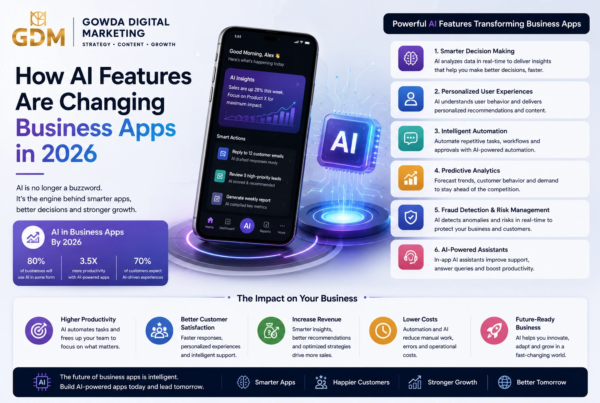
- AI chatbot
- Loyalty engine
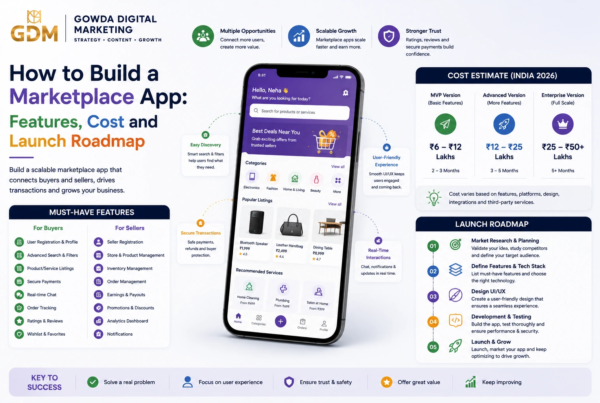
- Complex marketplace
- Advanced analytics
- Multiple subscription tiers
- Social network
- Video streaming
- Gamification
unless these features directly support your initial business objective.
Step 7: Choose the Right App Development Approach
You generally have several options.
| Approach | Best For | Advantage | Limitation |
| Native Android | Android-heavy audience | Strong platform integration | Separate development |
| Native iOS | iPhone-focused customers | Excellent iOS experience | Separate development |
| Cross-platform | Most startups/SMBs | One codebase for multiple platforms | Some platform-specific work |
| PWA/Web App | Testing demand | Fast accessibility | Less native functionality |
| No-code/Low-code | Simple MVPs | Fast initial validation | Can become restrictive |
For many small and medium service businesses, a cross-platform app can be an efficient starting point when Android and iOS users both matter.
The right choice depends on:
- Target audience
- Budget
- Features
- Performance requirements
- Integrations
- Growth plans
Step 8: Connect Your Existing Business Operations
Don’t treat the app as a separate business.
Connect it to your existing workflow.
For example:
Website → App → CRM → Payment Gateway → Accounting → Notifications → Analytics
Potential integrations include:
- Payment gateways
- CRM
- SMS
- Maps
- Calendar
- Accounting software
- Customer support tools
The goal is to eliminate duplicate data entry.
Step 9: Make Your App More Than a Booking Tool
Booking is often the starting point, not the final product.
Once customers use your app, you can build additional value.
Customer retention features
- Loyalty points
- Memberships
- Referral rewards
- Personalized offers
- Subscription plans
- Rebooking reminders
- Service history
Example
A salon could send:
“Your usual haircut is due. Book this week and receive a loyalty discount.”
A car service business could send:
“Your vehicle may be due for its next scheduled service. Check available slots.”
This transforms the app from a transaction tool into a customer retention engine.
Key Facts & Statistics
Digital channels matter: McKinsey research found that almost half of small-business orders in one study were placed through digital and e-commerce platforms, while small businesses used digital channels more frequently than traditional unassisted channels.
Customer experience matters: Salesforce research reported that 88% of customers surveyed said the experience a company provides is as important as its products or services.
India is digitally payment-ready: NPCI’s published payment statistics show UPI operating at enormous transaction volumes in India.
Digital discovery can support local services: Google Business Profile allows businesses to display services, receive bookings, manage reviews, and understand how customers find them.
Statistics are presented with their original study context; they should not be interpreted as guaranteed results for every business.
Expert Opinion: Digital Transformation Is About the Customer Journey
McKinsey’s research emphasizes that successful digitization requires more than adding technology. Businesses need to rethink important customer experiences and operational processes around digital capabilities.
A useful principle for service businesses is:
Don’t digitize a broken process. Redesign the process first, then digitize it.
For example, if your current appointment process requires three employee interactions, simply moving those same steps into an app may not improve the experience.
Instead, redesign it so customers can complete the process with minimal friction.
Case Study Example: Turning a Local Cleaning Business Into an App-Based Service
Consider a hypothetical cleaning company called CleanPro Services.
Before the app
Customers contact the business through phone or WhatsApp.
The office employee:
- Receives the request.
- Asks for the address.
- Checks technician availability.
- Calculates pricing.
- Confirms the booking.
- Assigns a technician.
- Sends reminders manually.
- Collects payment information.
- Requests a review.
This consumes significant administrative time.
After the app
The customer:
- Opens the app.
- Selects cleaning type.
- Enters location.
- Chooses a slot.
- Sees estimated pricing.
- Confirms the booking.
- Pays digitally.
- Receives notifications.
- Tracks service status.
- Rates the service.
The business dashboard automatically receives the booking.
The technician receives the job.
The customer receives notifications.
The owner gets a digital record.
The app has not replaced the cleaning service. It has digitized the customer and operational layer around the service.
Example: How Different Businesses Can Use Apps
| Business | Core App Feature | Advanced Opportunity |
| Salon | Appointment booking | Memberships |
| Gym | Class booking | Subscription plans |
| Plumber | Service requests | Technician tracking |
| Tutor | Class scheduling | Online learning |
| Car workshop | Service booking | Vehicle maintenance reminders |
| Cleaning company | Home-service booking | Recurring plans |
| Consultant | Consultation booking | Paid packages |
| Fitness trainer | Session booking | Digital programs |
| Photographer | Enquiry/booking | Package management |
| Repair company | Job tracking | Service contracts |
How to Monetize an App-Based Service Business
Moving to an app can create new revenue opportunities.
1. Direct Service Revenue
Customers continue paying for your core service.
The app simply makes purchasing easier.
2. Subscription Plans
Offer recurring packages.
Example:
Basic: ₹999/month
Premium: ₹1,999/month
Business: ₹4,999/month
Pricing should be based on your actual service economics rather than arbitrary numbers.
3. Memberships
Give members:
- Priority booking
- Discounts
- Free add-ons
- Exclusive services
4. Commission Model
If your app connects independent service providers with customers, you can charge a commission on completed transactions.
5. Featured Listings
A marketplace can charge service providers for greater visibility.
6. Add-On Services
After the primary service, offer relevant extras.
For example:
Car wash → Interior cleaning → Detailing → Annual maintenance package
Recommended Monetization Plan
A practical approach is:
Phase 1 — Validate
Generate revenue through your existing services.
Phase 2 — Increase retention
Introduce:
- Loyalty
- Memberships
- Rebooking
- Referral programs
Phase 3 — Expand
Add:
- Additional providers
- New service categories
- Subscriptions
- Marketplace functionality
Phase 4 — Scale
Use customer and operational data to identify:
- High-demand services
- High-value customers
- Geographic opportunities
- Underperforming services
- Retention problems
How to Launch the App
Don’t simply publish the app and wait.
Create a launch system.
Pre-launch
- Build a landing page
- Collect customer interest
- Invite existing customers
- Offer early-access benefits
- Train staff
- Test booking and payment workflows
Launch
Use:
- Existing customer database
- Social media
- Google Business Profile
- Website banners
- In-store QR codes
- Referral campaigns
Google specifically highlights the ability for service businesses to connect online searches with bookings and customer interactions.
Post-launch
Monitor:
- Downloads
- Registrations
- Booking conversion
- Payment completion
- Repeat bookings
- Cancellation rate
- Reviews
- Customer acquisition cost
- Customer lifetime value
Important App Metrics to Track
Do not measure success only by downloads.
Better KPIs include:
Activation Rate
How many users complete the important first action?
Booking Conversion Rate
How many app users make a booking?
Repeat Booking Rate
How many customers return?
Customer Retention Rate
How many customers remain active?
Average Order Value
How much does the average transaction generate?
Customer Acquisition Cost
How much does it cost to acquire a customer?
Customer Lifetime Value
How much revenue does a customer generate over the relationship?
Common Mistakes to Avoid
Mistake 1: Building Too Many Features
More features do not automatically create more value.
Build around the most important customer problem.
Mistake 2: Ignoring the Admin Side
An app can generate more work if bookings are still processed manually behind the scenes.
Mistake 3: Forgetting Customer Support
Some customers will still want human assistance.
Provide a clear support option.
Mistake 4: Poor App Performance
Slow loading, crashes, confusing navigation, and failed payments can damage trust.
Mistake 5: No Marketing Strategy
App development does not automatically generate downloads.
You need a customer acquisition plan.
Mistake 6: Treating the App as a One-Time Project
Apps require:
- Bug fixes
- Security updates
- OS compatibility updates
- Performance improvements
- New features
- Analytics
- Customer feedback
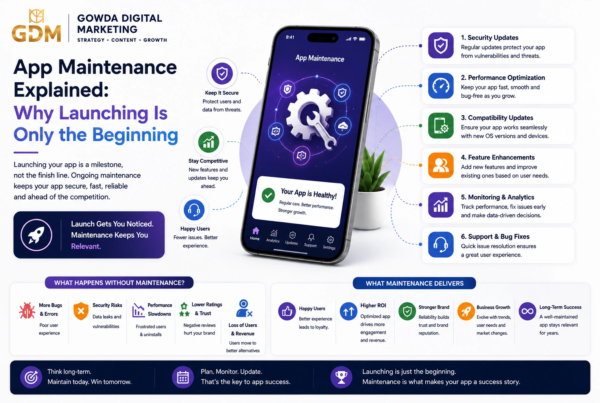
The launch is the beginning of the digital journey, not the end.
How Do You Turn a Traditional Service Business Into an App?
To turn a traditional service business into an app-based business:
- Identify the biggest customer and operational problems.
- Map your existing customer journey.
- Choose the processes worth digitizing.
- Define an MVP.
- Build customer, admin, and staff interfaces as needed.
- Integrate payments, notifications, maps, and other required services.
- Test the app with real customers.
- Launch to your existing customer base.
- Track bookings, retention, revenue, and customer feedback.
- Continuously improve the app based on real usage.
10 FAQs
1. Can a small service business benefit from having an app?
Yes. Small businesses can use apps to simplify booking, payments, customer communication, reminders, loyalty programs, and service management.
The app should be financially justified by the problems it solves.
2. Does every service business need a mobile app?
No.
If your customers rarely use digital channels or your business has very low transaction frequency, a website or booking platform may be sufficient initially.
3. How much does it cost to build a service business app in India?
The cost depends on complexity, platforms, integrations, UI/UX requirements, backend architecture, admin dashboards, and maintenance.
A simple MVP can cost considerably less than a sophisticated multi-provider platform.
For an accurate estimate, businesses should define their features before requesting development quotes.
4. Should I build Android and iOS apps?
If your target customers use both platforms, supporting both can make sense.
Cross-platform development can be considered when you want to reduce duplicated development effort.
5. What features should my service app have?
Common MVP features include:
- Login
- Service catalogue
- Booking
- Payments
- Notifications
- Customer profile
- Booking history
- Admin dashboard
The exact feature list should depend on your business model.
6. Can I turn my existing website into an app?
Sometimes.
A website can provide useful content and functionality, but a proper mobile app may require redesigned interfaces, backend APIs, push notifications, device integrations, and app-specific workflows.
7. Can customers still contact my business by phone?
Absolutely.
Digital transformation does not mean removing every traditional channel.
A strong model can combine:
App + Website + WhatsApp + Phone + Physical Service
8. How can I get customers to download my app?
Use your existing customer base first.
Promote the app through:
- QR codes
- Website
- Social media
- Referral incentives
- Loyalty benefits
- In-store promotions
9. Should I build a custom app or use an existing booking platform?
If you only need basic booking, an existing platform may be sufficient.
If you need custom workflows, customer data ownership, integrations, memberships, complex pricing, or marketplace functionality, custom development may make more sense.
10. How do I know if my app is successful?
Look beyond downloads.
Track:
- Active users
- Bookings
- Conversion rate
- Repeat bookings
- Retention
- Revenue
- Customer acquisition cost
- Customer lifetime value
- App reviews
The ultimate question is:
Is the app improving customer experience and business economics?
Actionable To-Do List
- Identify your top three customer problems.
- Map your current customer journey.
- List repetitive manual tasks.
- Decide which process should be digitized first.
- Define your MVP features.
- Identify customer, staff, and admin requirements.
- Choose your development approach.
- Prepare your app budget.
- Select payment and notification integrations.
- Design the customer journey.
- Build and test the MVP.
- Launch with existing customers.
- Track business KPIs.
- Collect reviews and feedback.
- Release improvements based on real usage.
Summary: Key Takeaways
Turning a traditional service business into an app-based business is not simply about creating a mobile application.
It is about redesigning how customers discover, book, pay for, receive, and repeat your services.
The most important lessons are:
- Start with a business problem, not an app idea.
- Map your existing customer journey.
- Digitize repetitive processes.
- Start with an MVP.
- Build the admin system alongside the customer app.
- Use automation for reminders, bookings, and communication.
- Integrate digital payments where appropriate.
- Use the app to increase customer retention.
- Measure business outcomes instead of downloads alone.
- Treat the app as an evolving business platform.
Conclusion
The transition from a traditional service business to an app-based business does not need to happen overnight.
You don’t have to close your physical operation, replace your employees, or rebuild everything from scratch.
Instead, start by identifying the parts of your business where technology can create the greatest improvement.
Maybe customers struggle to book appointments.
Maybe employees spend hours answering repetitive questions.
Maybe payments are difficult to track.
Maybe customers forget to return.
Maybe you cannot easily see which services are generating the most revenue.
These are opportunities for digital transformation.
A well-designed app can connect these pieces into one system.
The goal is not to build an app for the sake of having an app. The goal is to build a better, faster, more scalable service business—and let the app become the infrastructure that makes it possible.
Thinking about turning your traditional service business into an app?
Gowda Digital Marketing can help you move from idea to MVP with a practical strategy focused on your customers, operations, features, and growth goals.
👉 Contact Gowda Digital Marketing to discuss your service business app idea.
If you found this guide useful:
- Subscribe to our newsletter for app development, digital marketing, AI, and business-growth insights.
- Comment below and tell us what type of traditional service business you would like to transform into an app.
References & Sources
- McKinsey — Digital India: Technology to transform a connected nation — Research on digitization among Indian businesses and small-business digital adoption.
- McKinsey — Winning the SMB tech market in a challenging economy — Research on digital channels and SMB customer journeys.
- Google Business Profile — Information about digital discovery, bookings, services, reviews, and customer insights.
- NPCI — Retail Payments Statistics — Official Indian payment-system statistics, including UPI transaction data.
- Salesforce — State of the Connected Customer — Research on customer expectations and digital experiences.
- McKinsey — Speed and scale: Unlocking digital value in customer journeys — Research on digitizing customer journeys and operating models.